
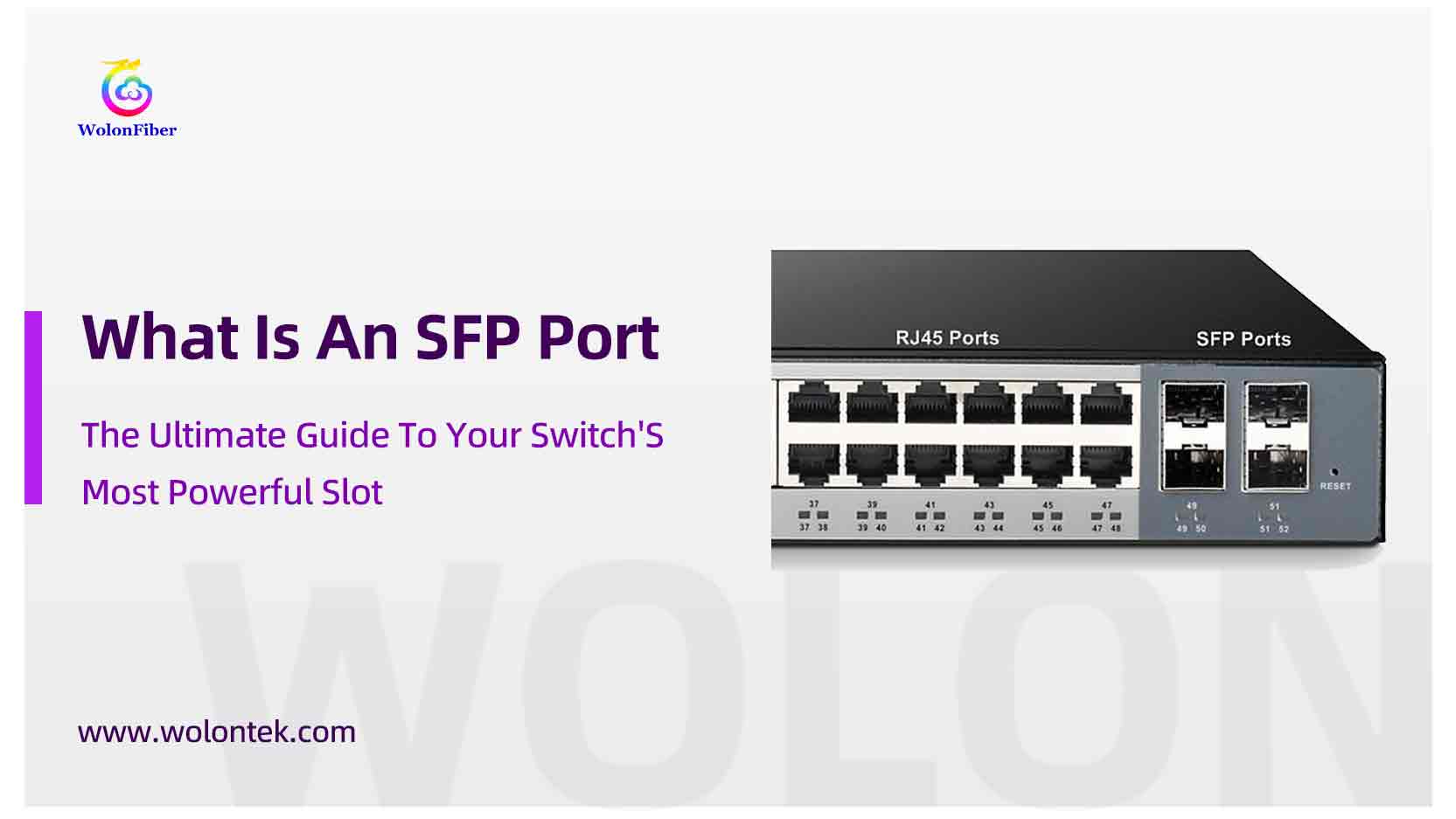
You just unboxed a new network switch for your office or server rack. You see the familiar row of square jacks for your standard Ethernet cables. But off to the right, there are a couple of empty, rectangular metal slots that look… incomplete.
These are SFP ports. And if you aren’t using them, you are leaving your network’s best performance capabilities on the table.
While standard Ethernet ports are great for connecting computers, the Sfp Port is the secret weapon for connecting switches together over long distances. But what is sfp port functionality exactly, and how does it differ from the standard jacks you use every day?
In this guide, we’ll demystify the sfp interface, compare it to RJ45, and show you how to unlock the true potential of your network hardware.
What is an SFP Port?
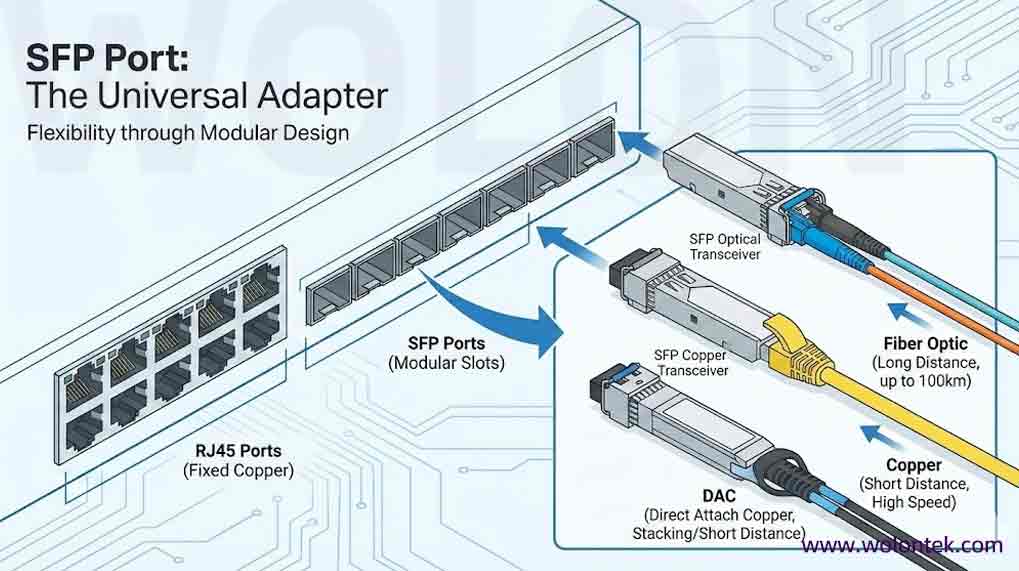
To understand what is sfp port technology, you have to think of it as a “universal adapter” for your network switch.
SFP stands for Small Form-factor Pluggable. Unlike a standard Ethernet port (RJ45) which is “hard-wired” to accept only copper cables, an sfp port is an empty modular slot. It doesn’t do anything until you plug something into it.
This design gives you incredible flexibility. By plugging in different SFP modules (transceivers), you can turn that single port into:
-
A fiber Optic port (for long-distance connections up to 100km).
-
A Copper port (for short, high-speed connections).
-
A DAC connection (for stacking switches cheaply).
Analogy: Think of an RJ45 port like a standard wall outlet—it only fits one type of plug. Think of an SFP port like a USB-C port on a laptop—with the right dongle, it can become HDMI, Ethernet, or Power.
SFP Port vs. RJ45 Port: Which One Should You Use?
This is the most common question we hear at Wolontek: “My switch has both. Why shouldn’t I just use the regular Ethernet cables?”
Here is the breakdown from a network engineering perspective.
1. Distance (The #1 Reason to Switch)
RJ45 Port: Uses copper cables (Cat6). It is limited to 100 meters (328 ft). If your warehouse is 200 meters away, copper simply won’t work.
SFP Port: When paired with a Single Mode Fiber module, an sfp port can transmit data up to 10km, 40km, or even 80km. It is mandatory for connecting buildings across a campus.
2. Interference
RJ45 Port: Copper cables are susceptible to electromagnetic interference (EMI) from heavy machinery or power lines.
SFP Port: Fiber optic sfp connections are immune to electrical interference. They are safer and more stable in industrial environments.
3. Latency & Power
SFP fiber connections generally have lower latency and consume less power than driving copper signals over long distances.
Cheat Sheet: RJ45 vs. SFP Port
| Feature |
RJ45 Port (Standard Copper) |
SFP Port (Modular / Flexible) PRO CHOICE
|
|---|---|---|
| Media Type |
Copper Cable Only (Cat5e/Cat6) |
Flexible Supports Fiber Optic OR Copper Modules. |
| Max Distance |
100 meters (Strict limit) |
Up to 120 km (With Single-mode Fiber) |
| ⚡ Speed | Fixed (e.g., 1G) Hardwired to switch chip. |
Negotiable Can adapt (1G / 100M) based on inserted module. |
| Interference | Prone to EMI (Requires shielded cable) |
Immune to EMI (When using fiber mode) |
| Cost |
Cheap (Built-in) Plug & Play. |
Higher Requires purchasing separate transceiver modules. |
How to Use an SFP Port (3 Ways)
So, you have an empty sfp port. What do you plug into it? Here are the three main options we manufacture at Wolontek:
1. Optical Transceiver (The Most Common)
This is the “laser” module. You plug this into the port, and it gives you two LC connectors for Fiber optic cables.
-
Best for: Connecting switches between floors or buildings.
-
Wolon Product: [Internal Link: 1.25G SFP optical transceivers]
2. RJ45 SFP Module (Copper)
Wait, didn’t we just say SFP is for fiber? Yes, but sometimes you just need one more copper port. You can plug in a copper SFP Module to convert the slot back into a standard Ethernet jack.
-
Best for: When you run out of standard ports and need to connect one last server nearby.
3. DAC Cable (Direct Attach Cable)
This is a cable with the sfp transceivers permanently fused to the ends. You just plug end A into Switch 1 and end B into Switch 2.
-
Best for: Stacking switches inside the same rack (cheapest option).
Combo Ports: A Trap for Beginners
Warning: Look closely at your switch. Do you see the word “Combo” written near the ports?
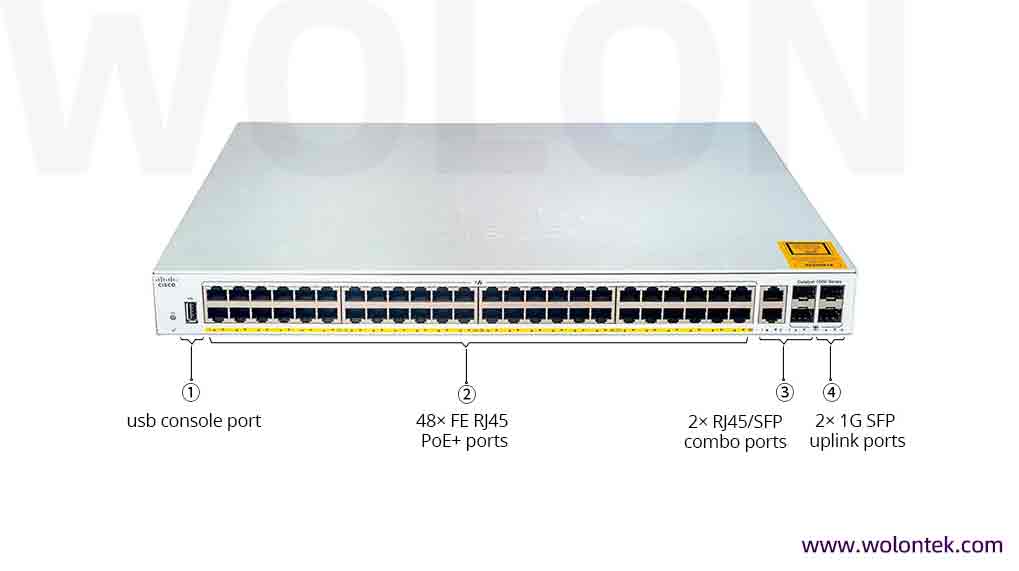
Some older switches feature Combo Ports. This means you have an RJ45 port and an sfp port paired together (e.g., Port 24A and Port 24B).
-
The Catch: You can only use one of them at a time. If you plug a cable into the RJ45 side, the sfp slot automatically disables itself (and vice versa). Don’t plan your network assuming you can use both!
Video: How to Install an SFP Module
Never plugged one in before? It’s satisfyingly simple. Check out this quick demo on how to properly insert and remove an sfp transceiver without damaging the latch.
Frequently Asked Questions (FAQ)
Q: Can I plug an SFP+ (10G) module into a standard SFP (1G) port?
A: Physically yes, but it usually won’t work. An SFP+ module is designed for 10Gbps speeds. If you plug it into a standard 1G SFP port, the port typically cannot handle the speed and the link will fail. However, the reverse is often true: you can usually plug a 1G SFP module into a 10G SFP+ port, and it will run at 1G speeds.
Q: Are SFP ports hot-swappable?
A: Yes. You do not need to turn off your switch to plug in or remove an SFP transceiver. You can insert the module while the switch is running.
Pro Tip: When removing a module, always pull the small metal latch or plastic tab down first to unlock it. Never force it out!
Q: Do I need special software to use an SFP port?
A: Generally, no. SFP ports are “Plug and Play” on most unmanaged switches. On managed enterprise switches (like Cisco or Ubiquiti), you might need to manually enable the port or set the speed in the CLI, but no external software drivers are required.
Q: Can I connect an SFP port directly to my laptop?
A: No. Laptops and standard PCs use RJ45 (Copper) ports. You cannot plug a fiber cable from an SFP port directly into a laptop unless you use a specialized Fiber Network Interface Card (NIC) or a USB-to-Fiber adapter.
Q: Why does my SFP port have a rubber plug in it?
A: That is a Dust Cap. The internal connectors of an SFP port are sensitive to dust and debris. Keep the dust cap inserted whenever the port is not in use to prevent connection issues later.
Conclusion
The sfp port on your switch isn’t just a dust collector—it is your gateway to a faster, longer-range network. Whether you are connecting a warehouse 500 meters away or just linking two switches in a rack, understanding what is sfp port capability is the first step to a professional setup.
But an empty port is useless.

Shop Compatible Transceivers