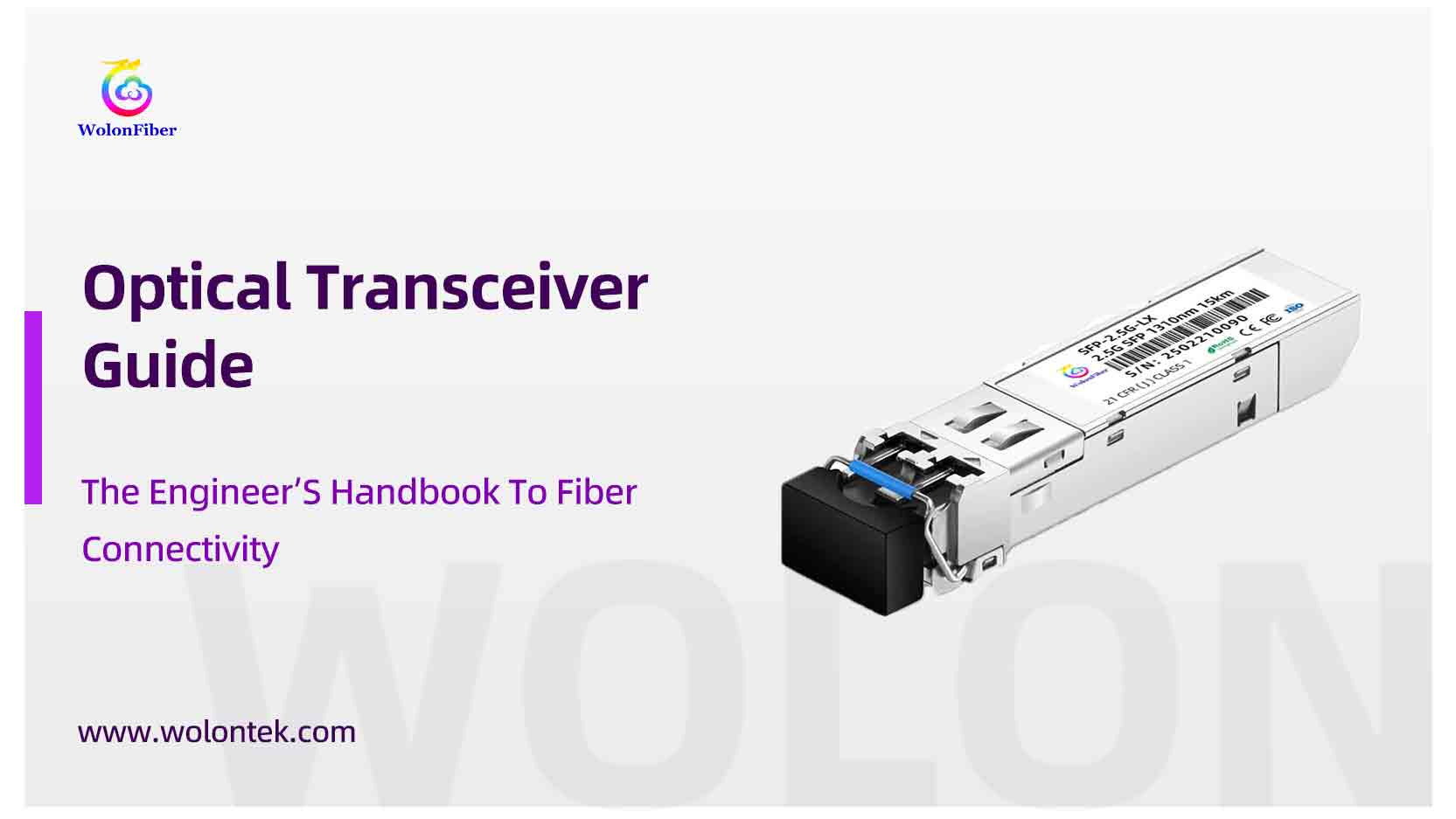
You have the high-speed switches. You have the miles of fiber cabling installed. But without one small metal component, that expensive hardware is just dead weight in a rack.
That component is the optical transceiver.
It’s easily the most overlooked part of a network build, yet it causes the most headaches. We see it every day at the factory: a client spends thousands on switches but gets stuck navigating the endless sea of acronyms—SFP, SFP+, QSFP28, and now the massive 400G Qsfp-DD.
So, let’s strip away the marketing fluff. We are going to look at what is an optical transceiver from a manufacturing perspective, how to distinguish your SFPs from your QSFP-DDs, and the one compatibility secret big brands don’t want you to know.
What is an Optical Transceiver?
At its simplest, an optical Transceiver is a translator.
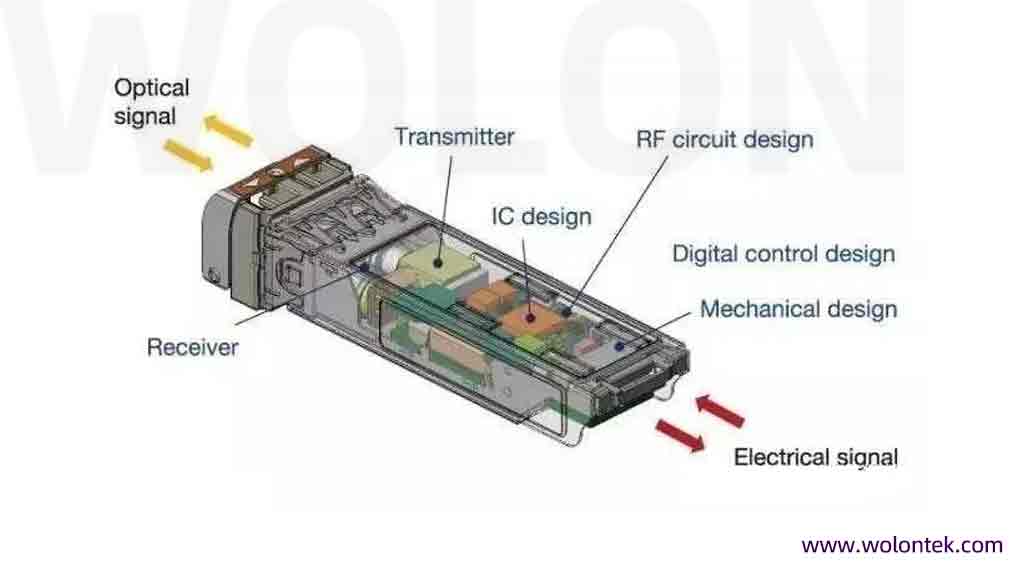
Your switch speaks “Electricity” (electrons). Your fiber cable speaks “Light” (photons). These two cannot talk to each other directly. The transceiver sits in the middle, converting electrical signals into light pulses and back again at blinding speeds.
The name comes from its two jobs:
-
Transmitter (Tx): Uses a tiny laser (like a VCSEL or DFB) to blink data down the fiber.
-
Receiver (Rx): Uses a photodiode sensor to catch light from the other end and turn it back into data.
If you pull one apart (which we don’t recommend unless you like voiding warranties), you’ll see a printed circuit board (PCB) and the optical sub-assembly. It’s high-precision tech packed into a thumb-sized metal case.
Type Of Optical Transceiver:Form Factors
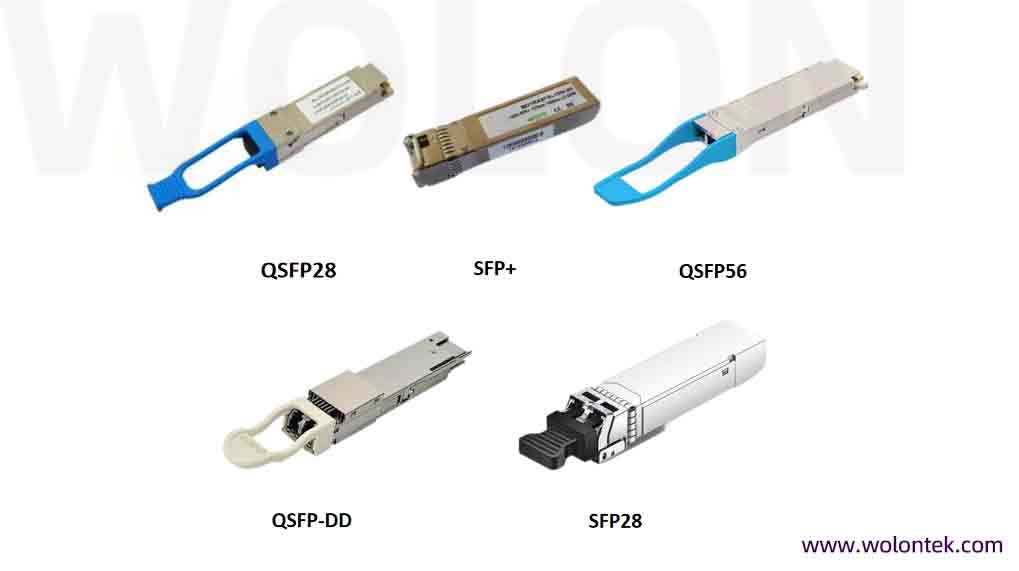
The most confusing part for buyers is the physical shape, or “form factor.” The industry loves acronyms, but these shapes are defined by strict SFF Specifications managed by SNIA, but here is what they actually mean for your hardware:
SFP (Small Form-factor Pluggable)
This is the classic “Mini-GBIC.” It runs at 1 Gbps. You’ll see these in standard office switches connecting desktop computers. It’s the baseline.
SFP+ (The 10G Standard)
Physically, it looks exactly like an SFP. But inside, it runs at 10 Gbps.
-
Engineering Note: You can usually plug a 1G SFP into a 10G SFP+ port (it will just run slow). But you cannot jam a 10G SFP+ module into an old 1G port and expect it to work. It won’t.
QSFP+ (The Quad)
Now we are getting bigger. The “Q” stands for Quad. It bundles four channels together. Instead of one lane of traffic, you get four. This creates a 40 Gbps pipe, mostly used for connecting switches to other switches (Uplinks).
QSFP28 (100G Speed)
The current heavy hitter for data centers. It uses the same 4-lane concept but cranks the speed up to 25 Gbps per lane, giving you a massive 100 Gbps total.
QSFP-DD (The 400G Monster)
Here is where physics gets crazy. DD stands for “Double Density.”
-
The Engineering Trick: The “DD” stands for “Double Density,” a standard developed by the QSFP-DD MSA Group.It looks like a QSFP, but if you peer inside the connector, you’ll see two rows of electrical Contact pins instead of one. This doubles the lanes from 4 to 8.
-
Speed: With 8 lanes running at 50G PAM4, you get 400 Gbps. Newer versions are pushing this to 800 Gbps.
-
Why Engineers Love It: It’s backward compatible. You can plug a standard QSFP+ or QSFP28 module into a QSFP-DD port, and it fits perfectly.
The Selection Checklist: Speed, Wavelength, Distance
When you ask us for a quote, don’t just ask for “a 10G module.” That’s like asking for “a car tires.” We need three specifics to match the optical transceiver to your cable:
1. The Speed
Match the port. 10G port = 10G module. Simple.
2. The Fiber Type (The Color Code)
-
Multimode (MMF): Usually uses 850nm wavelength. The module bail latch is often Black or Beige. This is for short distances (inside the rack or building).
-
Single Mode (SMF): Usually uses 1310nm or 1550nm. The latch is Blue or Yellow. This is for long hauls (kilometers).
3. The Distance & Density
Lasers fade over distance (SR, LR, ER, ZR). But in modern networks, you also need to watch for Density.
Note on High-Speed Density: In the 400G era, “Density” also refers to the electrical lanes. This is why you see QSFP-DD. The “DD” stands for Double Density—it effectively packs 8 electrical lanes into the space of 4, doubling your bandwidth without eating up more front-panel space.
| Module Type | Speed | Connector | Wavelengths | Max Distance (MMF / SMF) |
|---|---|---|---|---|
| SFP | 1 Gbps | LC | 850nm, 1310nm | 550m / 20km+ |
| SFP+ | 10 Gbps | LC | 850, 1310, 1550nm | 300m / 80km |
| SFP28 | 25 Gbps | LC | 850nm, 1310nm | 100m / 10km |
| QSFP+ | 40 Gbps | MPO LC | 850nm, 1310nm | 150m / 40km |
| QSFP28 | 100 Gbps | MPO LC | 850, 1310, CWDM4 | 100m / 40km+ |
| QSFP-DD | 400 Gbps | MPO-16 LC | PAM4 (850/1310nm) | 100m / 10km+ |
The “Coding” Trap (Factory Insider)
Here is something big switch manufacturers imply but never say outright: Cisco, HP, and Juniper do not manufacture transceivers.
They buy them from OEM factories, put their sticker on the casing, and sell them at a huge markup. The only difference between their module and a third-party module is the EEPROM Coding.
The switch reads a small chip inside the transceiver. If the code doesn’t say “I am a Cisco unit,” the switch blocks the port.
-
The Fix: You don’t need to pay the “Brand Tax.” You just need a module with the correct code.
-
What We Do: At Wolontek, we have a library of codes for over 100 switch brands. We flash the specific firmware onto the optical transceiver right here in the lab before it ships. It works exactly the same, for a fraction of the cost.
FAQ
Q: Can I plug a 10G SFP+ module into a 1G SFP port?
A: No. SFP+ modules typically require 10G ports. However, you can usually plug a 1G module into a 10G port (it will just run at 1G).
Q: What is the difference between QSFP+ and QSFP28?
A: Speed. QSFP+ supports 40G (4x10G), while QSFP28 supports 100G (4x25G). They look identical physically but are electrically different.
Q: Do third-party transceivers void my switch warranty?
A: No. Manufacturers cannot void your switch warranty just for using compatible optics (protected by laws like the Magnuson-Moss Warranty Act in the US).
Final Thoughts
The optical transceiver is the heartbeat of your fiber network. Getting the right one isn’t rocket science, but it does require paying attention to the details: Form Factor, Distance, and Compatibility.
Don’t let compatibility scares force you into blowing your budget on big-name labels.