
Introduction
If you’ve ever tried to plug two old devices together and the link wouldn’t come up, you’ve run into the problem Crossover Cables were made to solve. In plain terms, an Ethernet crossover cable swaps the transmit(TX) and receive wire pairs so two similar ports can speak directly without a switch or hub. That’s it — nothing mystical, just a deliberate swap of wires so signals arrive where the listening hardware expects them.
I say “old devices” because in my shop these days, you rarely need one. Still, I carry a couple in the toolbox because legacy gear and weird embedded controllers still show up. Knowing what a crossover does and when to use it saves time and embarrassment.
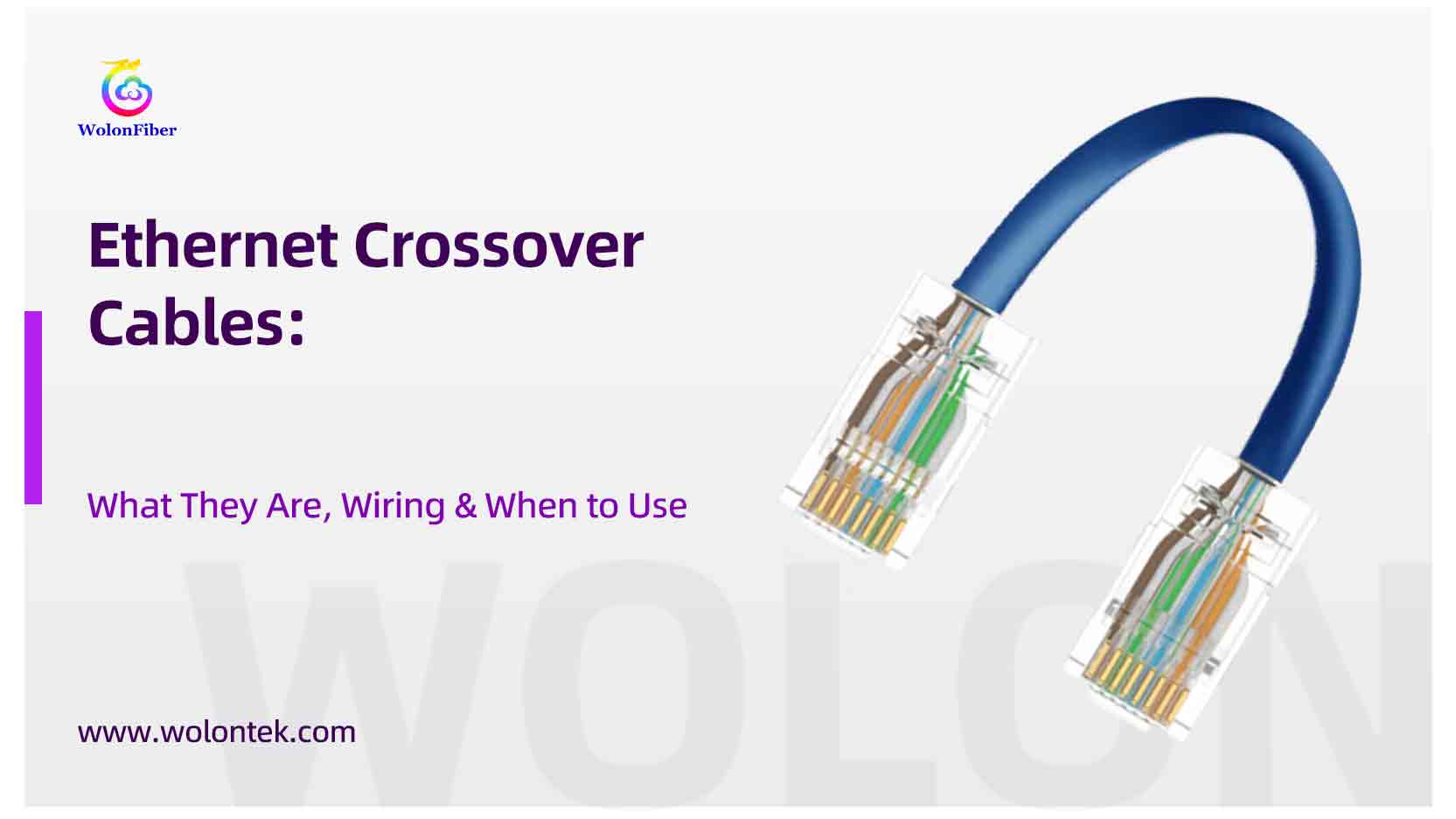
Ethernet Crossover Cable Guide: Pinout, Diagram & When to Use (2025)
The “Plain English” Explanation: What is a Crossover Cable?
Ethernet over twisted pair uses pairs of wires. On older 10/100 Mbps Ethernet, one pair is used to send (TX) and another to receive (RX). If both ends of a cable are wired the same way (a straight-through cable), and both devices expect to transmit on the same pair, nothing useful happens — each device is shouting over the same wire. A crossover flips the TX and RX pairs on one end so Device A’s transmitter goes into Device B’s receiver and vice versa. Simple electrical fix. It makes like-devices talk.
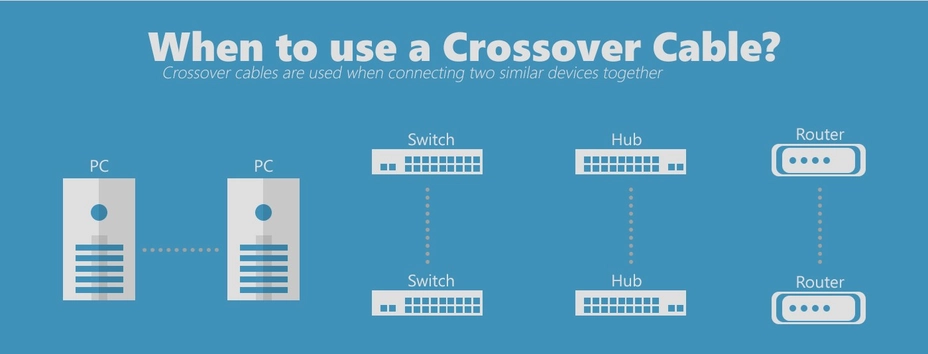
Quick Definition: An Ethernet crossover cable connects two devices of the same type (like Switch-to-Switch) by reversing the transmit and receive pins.
The Critical Diagram: Crossover Cable Pinout (T568A vs. T568B)
Most factory crossover cords are made by wiring one plug to the T568A standard and the other plug to T568B. Practically speaking the important movements are:
| Pin # | End A: Standard T568A | End B: Standard T568B | What Actually Happens? |
|---|---|---|---|
| 1 | White-Green | White-Orange | TX (Send) → RX (Receive) |
| 2 | Green | Orange | TX (Send) → RX (Receive) |
| 3 | White-Orange | White-Green | RX (Receive) → TX (Send) |
| 4 | Blue | Blue | Unused (Straight Through) |
| 5 | White-Blue | White-Blue | Unused (Straight Through) |
| 6 | Orange | Green | RX (Receive) → TX (Send) |
| 7 | White-Brown | White-Brown | Unused (Straight Through) |
| 8 | Brown | Brown | Unused (Straight Through) |
Table: The wiring schematic for a 10/100 Mbps Ethernet Crossover Cable.
Those four pins are what 10/100 Ethernet uses. The other pins (4,5,7,8) aren’t used on two-pair links, so they stay put. If you open the plug and look: one end will show the green pair on pins 1–2, the other end will show the orange pair there — an easy visual clue.
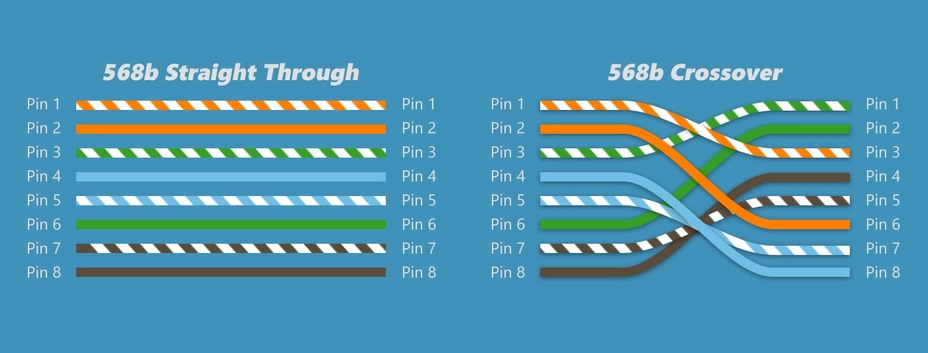
If you use a cheap cable tester it will show the mapping clearly. That’s the fastest way to be sure you’ve got a crossover and not a botched termination.
Do You Still Need This? The “Auto-MDIX” Reality
Two reasons changed everything:
-
Auto-MDI/MDIX. Modern NICs and switches can detect the cable wiring and automatically switch their internal TX/RX configuration. Plug a straight cable in, and the hardware fixes itself. This feature has been standard for many years, so manually crossing pairs is rarely required.
-
Gigabit and above. 1000BASE-T uses all four pairs simultaneously and sends and receives over the same pair using advanced signal processing. There aren’t fixed TX and RX pairs the way 10/100 had, so the idea of a manual crossover doesn’t really apply.
So if you’re plugging two modern machines or managed switches together, just use a standard Patch Cable and move on.
When to Use a Crossover Cable (Legacy & Troubleshooting)
I keep a crossover cable around for three practical reasons:
-
Old switches or NICs without Auto-MDIX. If you’re in an old data closet or working with vintage networking gear, a crossover can be the difference between a working test and a head scratch.
-
Direct device-to-device links in legacy environments. Back when USB file transfer was slow and cloud transfer was impractical, we used crossovers for PC-to-PC transfers. Rare now, but the use case exists.
-
Troubleshooting. If auto-negotiation is failing and you want to eliminate a layer of variables, a crossover can help isolate port behavior.
Also worth mentioning: some industrial or embedded equipment still expects fixed wiring. I once spent half a day chasing a dark fiber link only to find the controller required a crossover to bring up the copper port. Little surprises like that are why I won’t toss mine.
Straight-Through vs. Crossover: The 3-Second Visual Check
Three quick checks:
-
Look at the plug colors. One end T568A, the other T568B — that’s your classic factory crossover.
-
Use a continuity tester. The tester will show 1→3 and 2→6 if it’s a crossover. That removes doubt.
-
Check the jacket. Many factory-made crossovers are labeled “Crossover” or “X-over.” If it’s unlabeled and looks hand-terminated, trust the tester.
Don’t rely on feel or memory. Bad terminations, untwisted pairs, and cheap cable can cause intermittent failures even if the wiring is correct. Pair integrity matters more than whether it’s crossed.
Practical Cautions: Don’t Make These Mistakes
-
Don’t accidentally use one where you don’t need it. On modern gear a crossover won’t usually break anything, thanks to auto-MDIX, but it can confuse debugging. If a cable is meant for a permanent patch panel, use straight-through unless a crossover is explicitly required.
-
Avoid crossover for gigabit-only links. Gigabit equipment negotiates pair usage; crossing pairs manually is pointless.
-
Label your test cables. If a tech later borrows that cable and uses it in a patch panel, you’ll get a ticket.
Bottom line
An Ethernet crossover cable is a deliberate swap of transmit and receive pairs so like-devices can connect directly. It’s a small, low-tech solution to a specific wiring problem. Modern hardware has mostly made them obsolete, but the cables are still useful for legacy gear and troubleshooting. If you work in environments with mixed generations of hardware — or you like to be ready for surprises — keep one or two handy.
Stop Living in the Past. Your Network Deserves Gigabit Speed.
Let’s be honest: Hand-crimping crossover cables is a fun skill to learn, but it’s a terrible way to run a business.
In modern networks, a hand-crimped cable is often the weakest link. It fails Fluke tests, introduces crosstalk (NEXT), and kills your Gigabit throughput. Plus, with Auto-MDIX now standard, you don’t need “special” wiring—you need reliability.
Don’t risk your project’s reputation on a $2 connector.
10 Million+ Cables. Zero Defects.
We don’t just “assemble” cables; we engineer them.
From standard Cat6 to high-speed Cat8, every Wolon patch cord is Factory-Molded (with strain relief) and strictly tested to exceed TIA/EIA standards.
100% Oxygen-Free Copper Guaranteed. (No CCA)
Frequently Asked Questions about Crossover Cables
Q: Can I use a regular ethernet cable instead of a crossover cable?
A: In 99% of cases today, yes. If your devices were made after 2005, they likely have Auto-MDIX technology, which automatically detects the cable type and adjusts the connection. You typically only need a specific crossover cable for very old equipment (pre-2000s) or specialized industrial machines.
Q: How do I tell if a cable is crossover or straight-through?
A: Hold the two clear plastic connectors (plugs) side-by-side with the gold pins facing up. Look at the colored wires from left to right.
If the color order is identical on both ends: It is a Straight-Through cable.
If the Orange and Green pairs are swapped on one end: It is a Crossover cable.
Q: Does a crossover cable make the internet faster?
A: No. A crossover cable does not increase speed. It is simply a wiring configuration to allow two similar devices to talk. In fact, if you hand-crimp a crossover cable poorly, it will likely be slower and cause more errors than a factory-made standard patch cord.
Q: Do I need a crossover cable for Cat6 or Gigabit?
A: Generally, no. The Gigabit Ethernet standard (1000BASE-T) uses all four pairs of wires for simultaneous transmission and reception and includes auto-negotiation features. A standard Cat6 patch cord from a reputable manufacturer like Wolon will handle direct device connections perfectly.