
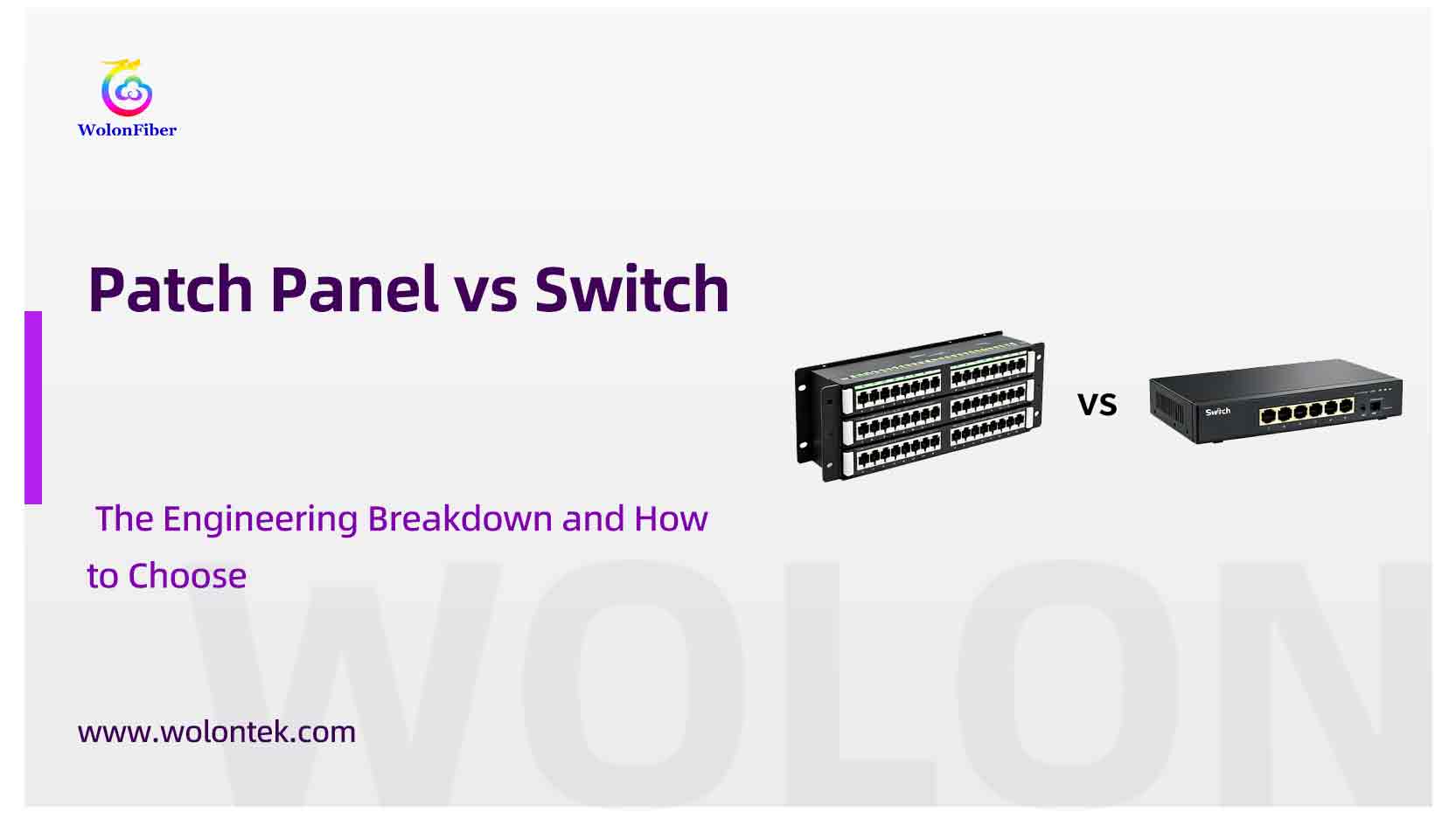
Look inside any professional server rack or IT closet, and you will see two very distinct rows of RJ45 ports. One row is glowing with LED activity lights and is plugged into a power source. The row right above it is just a plain, heavy metal board with numbered ports and zero electronics.
A common question we hear from junior technicians and home-lab builders is: “If they both just have Ethernet ports, what is the difference between a patch panel and a switch? Can I save money and just plug everything directly into the switch?”
You could—but doing so is a massive engineering mistake that will eventually destroy your cables and your active hardware.
If you are wiring a new office or organizing a data center rack, you need to understand the physical and functional differences between these two pieces of equipment. Here is the hardcore breakdown of the patch panel vs switch, and why you absolutely need both.
What is the Patch Panel?
A patch panel (often referred to as a network patch board) is a completely passive piece of hardware. It has no brain, requires zero electricity, and does not process or route data.
Its sole purpose is cable termination and organization.
When you run heavy, solid-copper CAT6 cables through the walls, floors, and ceilings of a building, those cables all converge in the server room. You punch the raw ends of those heavy in-wall cables into the back of the patch panel. The front of the panel simply provides a neat, organized row of female RJ45 ports.
What is a Network Switch?
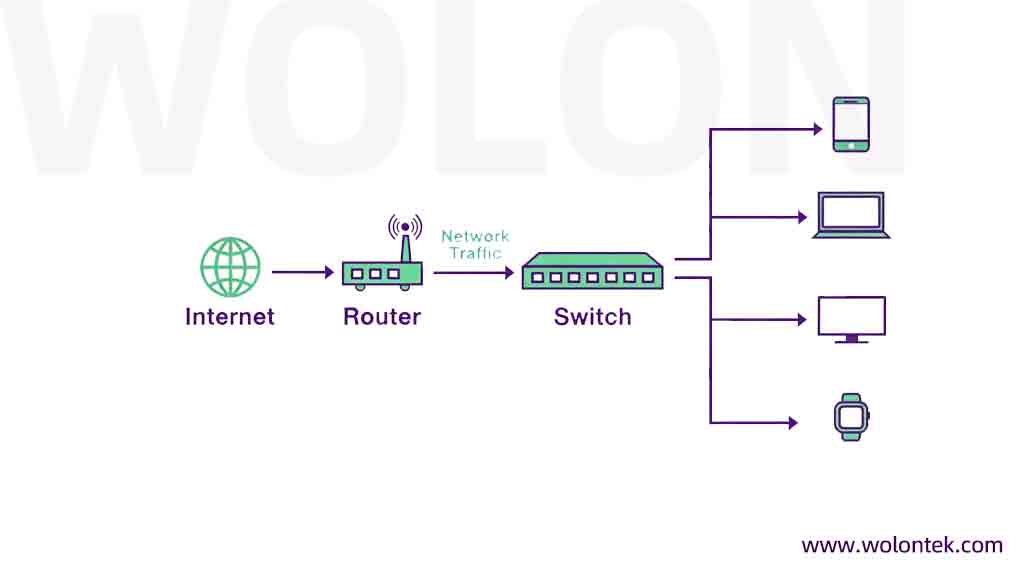
A network switch is the active “brain” of your Local Area Network (LAN).
Unlike a passive patch panel, an Ethernet switch requires an AC/DC power supply. It contains internal silicon processors (ASICs) and actively routes data packets. When a computer sends data to a network printer or a server, the switch reads the MAC address on the incoming data packet and directs it out of the exact correct port to reach its destination.
Patch Panel vs Switch: The Engineering Breakdown
When you compare a patch panel vs network switch, you are comparing a physical organizational tool to an active data processor. Here is the exact physical and functional breakdown:

Quick Reference: Patch Panel vs. Ethernet Switch
Patch Panel vs Switch: How to Choose?
This is a trick question. In professional network architecture, you do not choose between them—you use them together. The “patch panel vs switch” debate usually stems from a rookie mistake: bypassing the patch panel to save a few dollars. People ask, “Why run a cable from the wall, into a patch panel, and then use a small 1-foot cable to connect the patch panel to the switch? Why not just put an RJ45 end on the wall cable and plug it directly into the switch?”
Here is why network engineers never skip the patch panel:
1. Solid vs. Stranded Copper (The Breakage Risk)
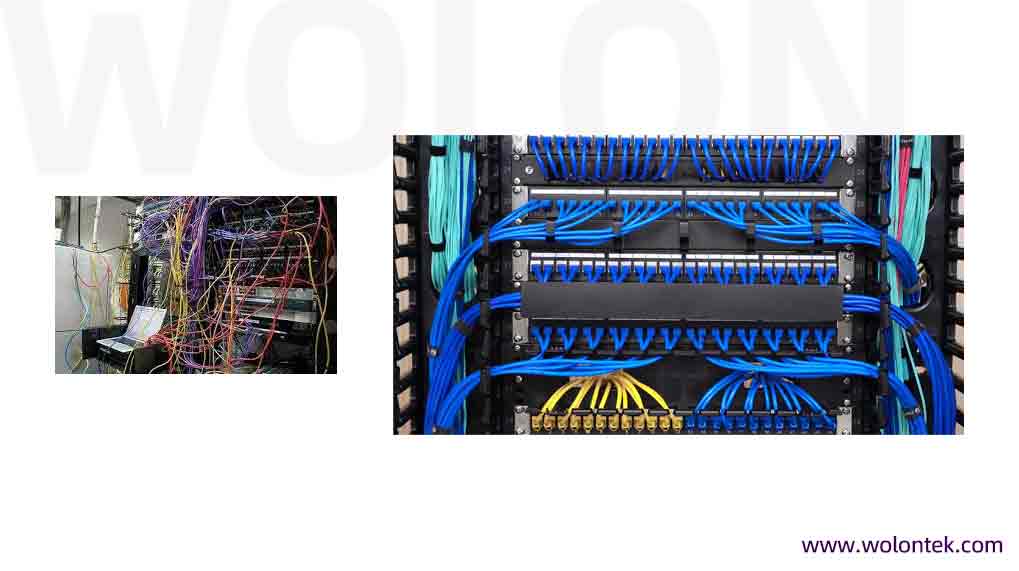
The Ethernet cables hidden inside your walls are made of “solid core” copper. They are built to be pulled over long distances, but they are incredibly stiff and brittle. If you plug a solid core cable directly into a switch, and then bump or move the switch, the rigid copper wires inside the cable will eventually snap. By punching the solid wall cable into the back of a rigid patch panel, it never moves again. You then use short, highly flexible “stranded” patch cords to connect the panel to the switch.
2. Sacrificial Port Protection
Switch ports are expensive. If someone trips over a cable, or if a port is constantly plugged and unplugged during network maintenance, the gold pins inside the RJ45 jack will wear out. If you wear out a port on a $3,000 enterprise switch, you have to replace the whole switch. If you wear out a port on a $30 patch panel, you just pop out the keystone jack and snap a new $2 one in. The patch board acts as a sacrificial barrier, protecting your expensive active hardware.
Conclusion
Whether you are designing the layout for a small office IT closet or engineering high-density optical distribution frames for a massive data center, your physical cable management dictates the lifespan of your network.
At WolonFiber, we build the physical layer correctly from the ground up. Operating out of our Wuhan Optical Valley facilities, our workforce of 1000+ specialists manufactures enterprise-grade infrastructure. We do not just produce the Gateway ONTs and fiber drop cables; we supply the high-density copper patch panels, rack enclosures, and strict-tolerance patch cords required to keep your server rooms organized and your active equipment protected.
Stop letting messy cabling threaten your expensive switch hardware. Lock in your infrastructure with factory-direct precision.
 Planning a Data Center Refresh?
Optimize your rack density and cable management. Contact the WolonFiber engineering team for direct factory quotes on patch panels, server racks, and total cabling infrastructure.
Request a Custom Infrastructure Quote
What is a patch panel used for?
A patch panel is a passive hardware board used to terminate, organize, and label the rigid, solid-core Ethernet cables coming from the walls of a building. It provides a clean, centralized location to connect those cables to your active network equipment using short patch cords.
Can I use a switch without a patch panel?
You can, but it is highly discouraged. Plugging stiff in-wall cables directly into an Ethernet switch puts physical strain on the copper wires and the switch ports. A patch panel protects your expensive switch from physical damage and constant plugging/unplugging.
Does a patch panel slow down internet speed?
No. Assuming you use high-quality keystone jacks (like Cat6 or Cat6a) that match your cable rating, a patch panel is a purely passive connection. It acts as a direct copper-to-copper extension and will not cause any latency, bottlenecking, or speed reduction on your network.