
If you are buying fiber optic transceivers for a network upgrade, the alphabet soup of acronyms can be a nightmare. You see SX, LX, SR, LR… and they all look like the same little metal box.
But choosing the wrong one is a costly mistake. Plugging an “LX” module into an “SX” port won’t work. Plugging a 10G “SR” module into a 1G “SX” switch might not link up.
Among all these options, the SX SFP Module is the most common workhorse for enterprise networks. In this guide, we answer the most Googled questions about SX transceivers: What does it mean? Is it single mode or multimode? And how is it different from LX or SR?
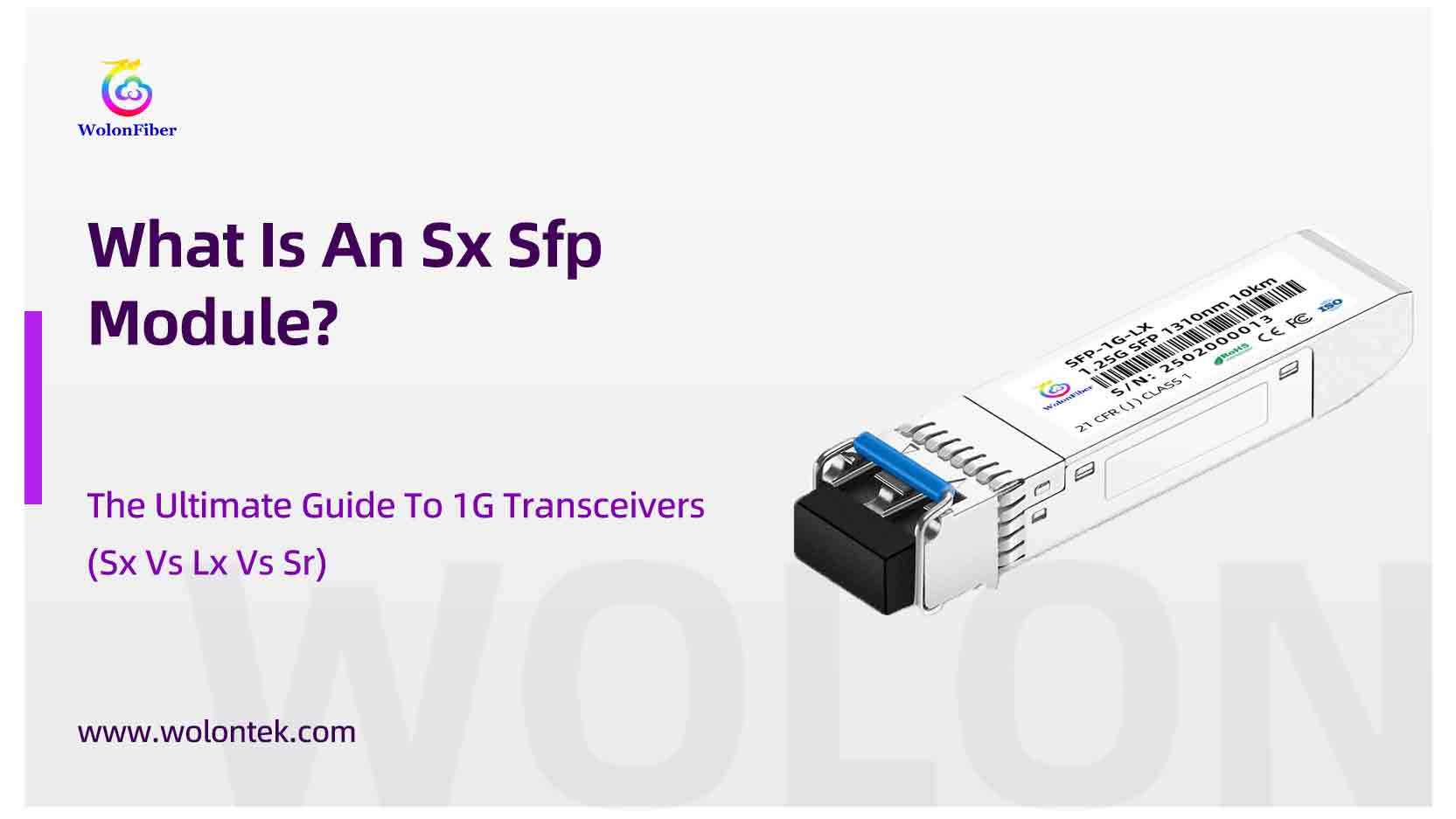
What Does “SX” Mean in SFP?
“SX” stands for Short Wavelength.
In the world of fiber optics, “Short Wavelength” specifically refers to light in the 850nm range. When you see a module labeled 1000BASE-SX SFP, it tells you three key things immediately:
-
Speed: It runs at 1 Gigabit (1000 Mbps).
-
Wavelength: It uses an 850nm laser (invisible infrared light).
-
Range: It is designed for Short Distances (usually up to 550 meters).
The Bottom Line: If you are connecting switches within the same building or the same server room, SX is usually the standard choice.
💡 Need standard SX Modules? Don’t overpay for the brand logo. Wolontek manufactures [Compatible 1000BASE-SX SFP Modules] with the exact same 850nm lasers as Cisco/HPE, starting at factory-direct prices.
Is SX Single Mode or Multimode?
This is one of the most frequently asked questions.
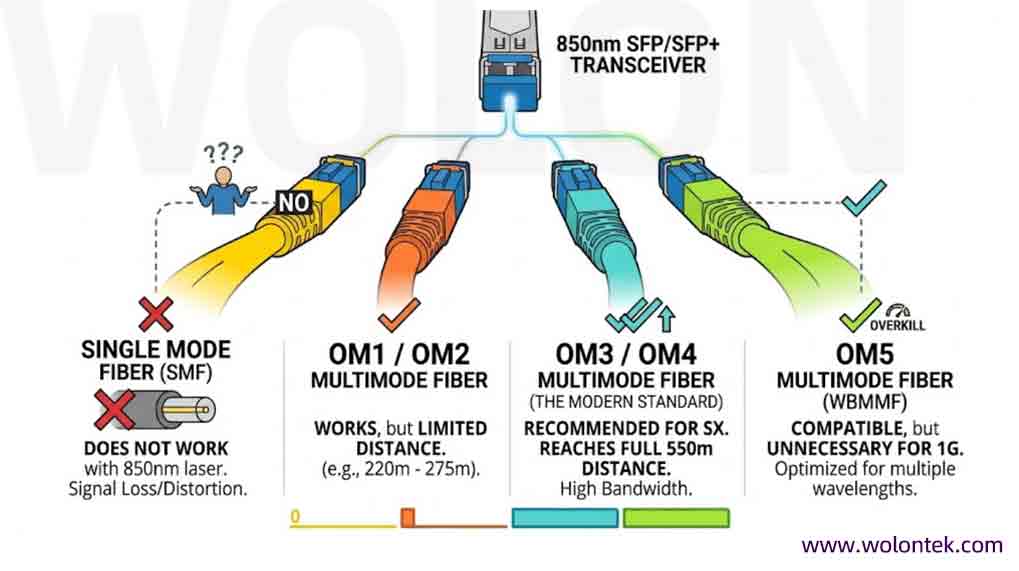
The Answer: SX SFP modules are strictly Multimode.
Because they use an 850nm laser, they must be paired with Multimode Fiber (MMF) cables. They will not work if you try to send the signal over a Single Mode (yellow) cable.
Which cable color should I use?
-
Orange Cable (OM1/OM2): Works, but distance is limited (220m – 275m).
-
Aqua Cable (OM3/OM4): The modern standard. It allows the SX module to reach its full 550m distance.
-
Lime Green Cable (OM5): Compatible, but usually overkill for 1G.
SX vs LX SFP Module: What is the Difference?
If you are looking at a datasheet, you will often see “SX” and “LX” listed next to each other. What’s the difference?
Think of SX as the “Inside the Building” module, and LX (Long Wavelength) as the “Between Buildings” module.
 Buying Advice:
- If your distance is under 500m, buy SX. It’s cheaper and consumes less power.
- If your distance is over 500m (e.g., connecting two campus buildings), buy LX.
SX vs SR SFP Module: Are They the Same?
This confusion causes many returns. “SX” and “SR” sound similar, and they both use 850nm Multimode fiber. But they are NOT compatible.
The difference is purely Speed:
-
SX = 1 Gigabit (1000BASE-SX). It plugs into a 1G SFP port.
-
SR = 10 Gigabit (10GBASE-SR). It plugs into a 10G SFP+ port.
Can I plug an SR module into an SX port? Generally, no. While some expensive 10G switches support “dual-rate” (1G/10G), most dedicated SFP+ ports expect a 10G signal.
-
If your switch says “SFP”, buy SX.
-
If your switch says “SFP+”, buy SR.
Will a Generic SX Module Work in My Cisco Switch?
Many IT managers fear that buying a non-brand module will cause the switch to throw an error like “Unqualified Transceiver Detected.”
This is where Coding comes in. The hardware inside a $500 Cisco GLC-SX-MM and a $6 Wolontek SX Module is virtually identical. The only difference is the EEPROM chip that stores the Manufacturer ID.
At Wolontek, we flash the specific code for your equipment before shipping. Whether you have Cisco, Ubiquiti, Netgear, Juniper, or Aruba, our modules plug and play just like the original—without the 500% markup.

Conclusion: Which Module Do You Need?
-
Connecting nearby racks? Use SX SFP Module with Aqua (OM3) cable.
-
Connecting distant buildings? Use LX SFP Module with Yellow (OS2) cable.
-
Upgrading to 10G? Use SR SFP+ Module.
Stop guessing and stop overpaying distributors. At Wolontek, we are a factory-direct manufacturer of optical transceivers. We use Tier-1 lasers and offer a Lifetime Warranty on all modules.
 Special Pricing for Integrators & Distributors
Cut out the middleman. We manufacture and supply 1000BASE-SX SFP Modules directly to your projects. Volume discounts apply for bulk orders.
Shop Factory Direct Modules Now
FAQ: SX SFP Module Engineering Specifics
Q1: Can I use an SX SFP module with a Single Mode (yellow) fiber patch cord?
A: No. An SX module uses an 850nm laser designed specifically for the wider core of Multimode fiber (50µm or 62.5µm). If you plug it into a 9µm Single Mode cable, the light will scatter, resulting in extremely high insertion loss and no link light. For Single Mode applications, you must use an LX SFP module.
Q2: What is the maximum distance for a 1000BASE-SX SFP on OM3 fiber?
A: On standard OM3 (Aqua) multimode fiber, an SX SFP can reach up to 550 meters. If you are using legacy OM1 (Orange) fiber, the distance is limited to approximately 220-275 meters due to modal dispersion.
Q3: Is the “SX” connector always LC?
A: Yes, for the SFP form factor, the standard interface is a Duplex LC connector. While older GBIC modules used SC connectors, modern 1G SFP hardware has standardized on the Small Form Factor (SFF) LC interface to maximize switch port density.
Q4: How do I bypass the “Unsupported Transceiver” error on Cisco switches?
A: This is a coding issue, not a hardware failure. Wolontek’s engineering team flashes the specific EEPROM signatures required by Cisco, HPE, or Aruba switches. If you are using an un-coded module, you can sometimes use the CLI command service unsupported-transceiver, but this is a temporary fix. For a permanent solution, always source modules with the correct manufacturer-specific code.