
Picking between SFP vs QSFP is one of those decisions you make early in a design that quietly decides a lot later: how much bandwidth you can carry, how many cables you wrestle with, and how easy future upgrades will be. I’ve made this choice dozens of times — sometimes the “obvious” answer turned into extra cost or a lot of cabling work. Below is a straightforward way to think about it, plus a short checklist you can use while planning.
What these form-factors actually do (in plain language)
-
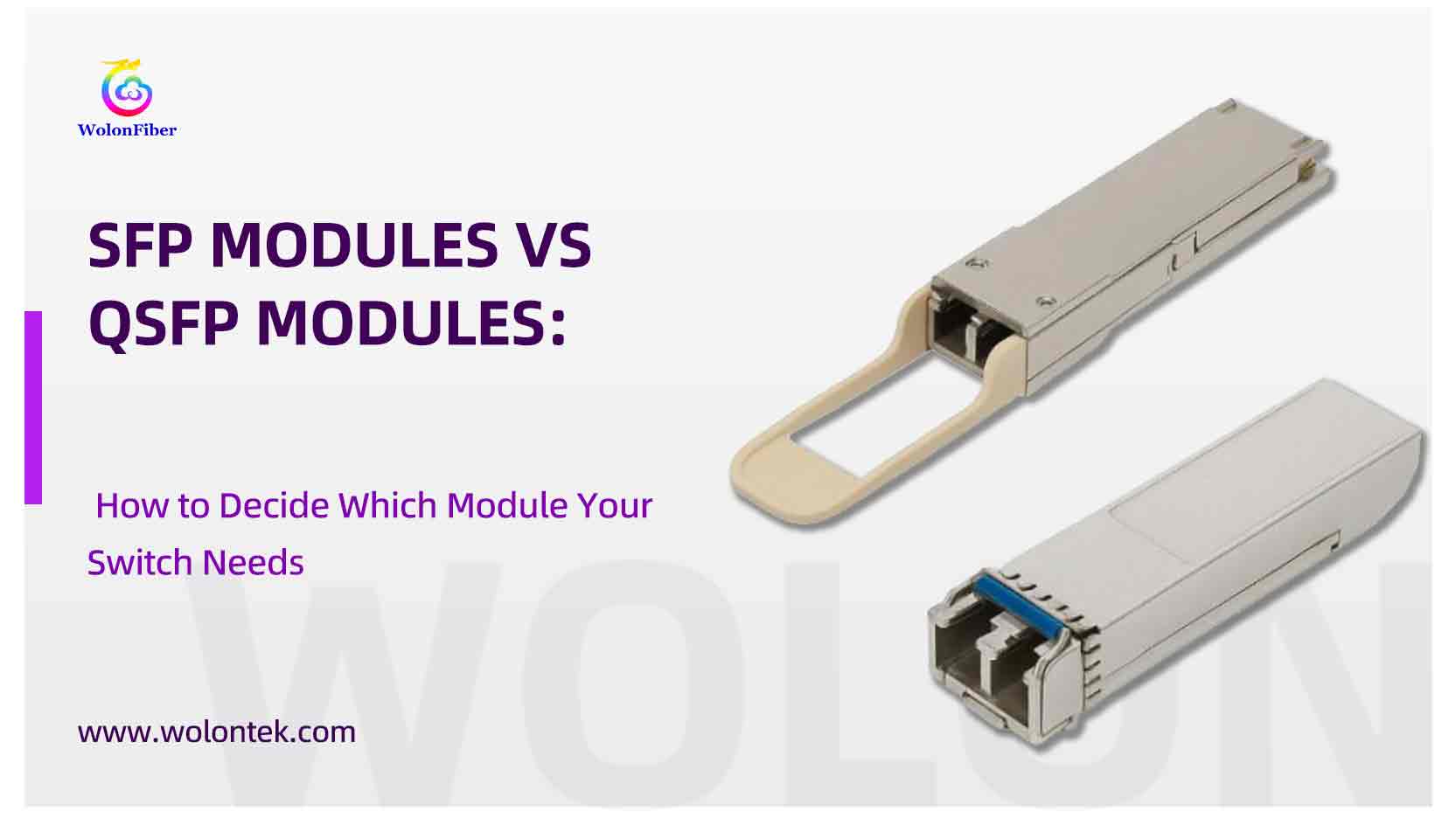
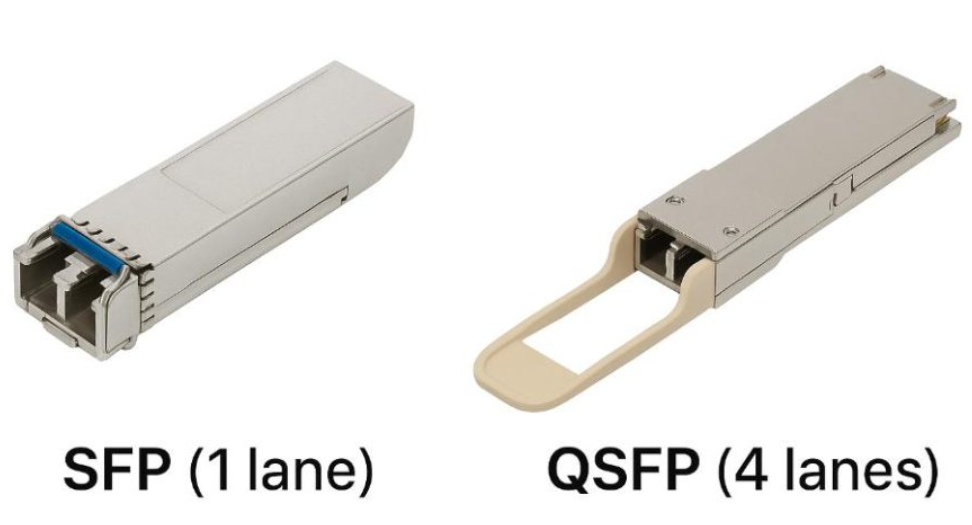
SFP (Small Form-factor Pluggable) is a single-lane transceiver. Historically people used SFP for 1G and SFP+ for 10G; SFP28 handles 25G per lane. It’s simple and predictable — one module, one lane.
-
QSFP (Quad SFP family) packs multiple lanes into a single pluggable. Think of QSFP as “four lanes in one box”: QSFP+ commonly gives 40G (4×10G), QSFP28 gives 100G (4×25G), QSFP56 targets 200G (4×50G), and QSFP-DD and later QSFP variants can handle 400G using more lanes or advanced signaling. The key advantage is that one physical port can carry a lot of lanes — or be broken out into several smaller links when you need it.
Short takeaway: SFP = one lane, simpler. QSFP = many lanes, higher throughput or flexible breakout options.
Note: This guide focuses on the comparison with QSFP. If you need a refresher on SFP basics—like wavelength classifications, connector types, and DDM—check out our [SFP Transceiver Comprehensive Guide] first.
Quick Reference: Module Bandwidth and Use
|
Module |
Channels |
Max Data Rate |
Typical Use |
|---|---|---|---|
|
SFP |
1 |
1 Gbps |
Legacy, low-traffic, branch access |
|
SFP+ |
1 |
10 Gbps |
Enterprise, server uplinks, storage |
|
SFP28 |
1 |
25 Gbps |
Data center access, 100G aggregation |
|
QSFP+ |
4 |
40 Gbps |
HPC, aggregation, server interconnects |
|
QSFP28 |
4 |
100 Gbps |
Core, cloud, spine-leaf architecture |
|
4 |
200 Gbps |
HPC, advanced cloud, ML clusters |
|
|
8 |
400 Gbps |
Hyperscale, ultra-high bandwidth networks |
The technical factors that actually affect your build
Here’s what I always check before buying modules or switches.
1. Link speed and lane options
Decide what a single port needs to deliver now — and in the next 2–3 years. If your servers or edge devices are mostly 1–10G (or 25G with SFP28), SFP families will do the job. If you need aggregated 40/100/200/400G for spine or uplinks, QSFP is the natural fit. Breakouts (e.g., one QSFP28 → 4×25G) are lifesavers during migration.
2. Port density and rack real estate
A single QSFP port often replaces multiple SFP ports in terms of raw throughput. If you’re tight on front-panel space and need aggregate bandwidth, QSFP typically wins — fewer chassis, fewer cables, less panel complexity.
3. Cost (modules, optics, cables)At low speeds, SFP modules are cheap per unit. But when you calculate cost per gigabit at higher capacities, QSFP often becomes more economical because you need fewer chassis and fewer ports overall. Don’t forget DAC/AOC options — short-reach QSFP DACs are extremely cost-effective inside racks.
4. Cable type and reachSFP tends to use LC fiber or short copper. QSFP often involves MPO/MTP for parallel optics at higher speeds, or breakouts to LC for 25/10G. Always confirm the reach class (LR/LX/ER etc.) for the exact module you pick — higher speed doesn’t change the basic reach rules.
5. Compatibility and vendor supportMSAs and IEEE specs exist, but switch vendors still have quirks. Breakout lanes, FEC settings, and lane mapping sometimes require specific firmware. Always verify the transceiver model on the switch vendor’s compatibility list before you order thousands of dollars’ worth of optics.
Feature Comparison: SFP/SFP+ vs. QSFP/QSFP28
|
Specification |
SFP / SFP+ |
QSFP / QSFP28 |
|---|---|---|
|
Max Bandwidth (Gbps) |
10 |
100 |
|
Typical Speed/Module |
1G, 10G |
40G, 100G, 400G |
|
Use Case Examples |
LAN, edge switch |
Data center, backbone, HPC |
|
Cable Support |
Fiber (LC), Copper |
Fiber (MPO, LC breakout) |
|
Hot-swappable |
Yes |
Yes |
|
Power Consumption |
Low |
Medium to High |
|
Breakout Capability |
No |
Yes (e.g., 4×25G) |
|
Transmission Range |
Up to 10 km |
Up to 80 km |
|
Module |
Channels |
Speed/Channel |
Total Speed |
Common Use Case |
|---|---|---|---|---|
|
SFP+ |
1 |
10 Gbps |
10 Gbps |
Low-to-mid-tier links |
|
QSFP+ |
4 |
10 Gbps |
40 Gbps |
Aggregation/backbone |
|
QSFP28 |
4 |
25 Gbps |
100 Gbps |
Core, high-density DC |
Real-world trade-offs — when to pick which
-
Edge/branch / small office: SFP/SFP+ or SFP28 — lower complexity, cheaper spares, easier to manage.
-
Leaf / ToR in modern DC: Use 25G to servers (SFP28) and QSFP28 uplinks to spine — gives you aggregation headroom and easy breakouts.
-
Spine / backbone: QSFP28, QSFP56, or QSFP-DD for 100–400G. Fewer chassis and cleaner cabling.
If you expect to grow from 25/100G toward 400G, a common pattern I recommend: keep SFP/SFP28 at the edge, and deploy QSFP28/QSFP-DD in the core so you can bridge generations with breakout cables and avoid forklift upgrades.
Short practical tips from the field
-
When possible, standardize on one family (or two) of optics to cut spare-part complexity.
-
Buy one spare of each active Transceiver type per site — they disappear faster than you think.
-
For short ToR interconnects, check QSFP DAC pricing first — you might save a lot over optics.
-
Test a breakout cable and the switch firmware together in a lab before you do a full rollout — lane mapping/FEC is where plans sometimes break.
Quick decision checklist
1.What speeds do endpoints need today? (1/10/25/40/100/200/400)
2.What will they need in 18–36 months? (plan one generation ahead)
3.Is rack/front-panel density more important than per-module simplicity?
4.Are short DAC/AOC runs acceptable or do you need fiber reach?
5.Have you checked vendor compatibility and required firmware for breakouts?
Vendor note
If you’re refreshing optics, vendors like WOLON offer SFP/SFP+ and SFP28 for edge access, and QSFP28/QSFP-DD for aggregation and spine roles — plus a range of DAC and AOC assemblies. Look for factory testing, DOM support (if you need it), and explicit compatibility testing to minimize surprises during rollouts.
Frequently Asked Questions (FAQ):
Q1: Can I plug an SFP+ module into a QSFP+ port?
A: Not directly, as the physical sizes are different. However, you can use a QSA (QSFP to SFP Adapter) to plug a single SFP+ module into a QSFP+ port. Alternatively, you can use a Breakout Cable (QSFP+ to 4x SFP+) to connect one QSFP+ port on a switch to four SFP+ ports on another device.
Q2: What is the main difference between QSFP+ and QSFP28?
A: They share the same physical form factor (plug size) but differ in speed. QSFP+ is designed for 40G (4 lanes × 10G), while QSFP28 is designed for 100G (4 lanes × 25G). While you can often run a QSFP28 port at 40G speeds (backward compatibility), you cannot run a QSFP+ module at 100G.
Q3: Why do QSFP modules often use MPO connectors instead of LC?
A: Because QSFP modules transmit data over 4 parallel lanes. Standard LC connectors only support 2 fibers (TX/RX), which is enough for SFP (1 lane). To handle 4 lanes (8 fibers total for TX/RX), QSFP optics (like SR4) require MPO/MTP connectors that can hold multiple fibers in a single plug. Note: Some long-range QSFP modules (like LR4) use internal multiplexing to allow the use of standard LC connectors.
Q4: Is QSFP always better than SFP?
A: No. QSFP provides higher density and bandwidth (40G/100G/400G), making it ideal for core switches and data center backbones. SFP/SFP+ is better for connecting individual servers, desktops, or enterprise access switches because it is lower cost, lower power, and sufficient for 1G/10G/25G needs.
Q5: What is a “Breakout” configuration?
A: Breakout takes advantage of the QSFP design (Quad = 4 lanes). It allows you to split one high-speed QSFP port (e.g., 100G QSFP28) into four separate lower-speed links (e.g., 4x 25G SFP28). This is highly cost-effective for maximizing port usage on high-end switches.