
By the Wolontek Engineering Team | Network Fundamentals & Infrastructure
If you want two computers to talk on a Local Area Network (LAN), you need an IP address. But here is the reality of hardware networking: Ethernet switches do not understand IP addresses. Switches only understand physical hardware addresses, known as MAC addresses.
So, if your computer knows the IP address of the destination server, how does it figure out the physical MAC address to actually send the data frame over the wire?
It uses ARP.
Whether you are studying for your CCNA, troubleshooting a dead server link, or configuring enterprise switches, you must understand exactly how ARP bridges the gap between software IP addresses and physical hardware. Here is the engineering breakdown of how the Address Resolution Protocol works, the difference between static and dynamic caching, and the severe security risks you need to watch out for.
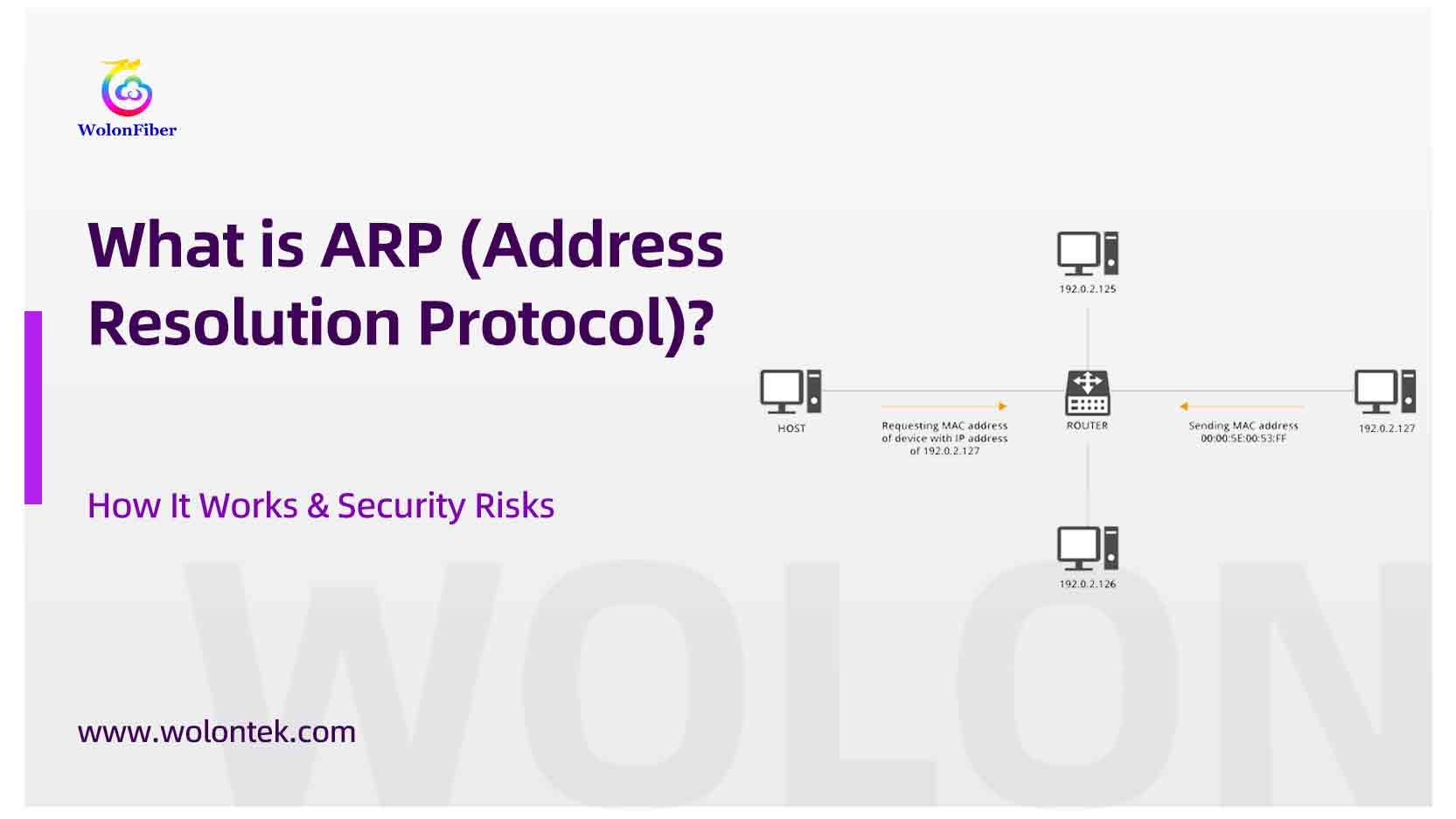
What is ARP
What is ARP (Address Resolution Protocol)?
ARP (Address Resolution Protocol) is a fundamental network layer protocol used to translate a logical IP address (IPv4) into a physical MAC (Media Access Control) address on a local network.
Without ARP, IP routing cannot function on a local Ethernet segment. It acts as the critical translator between Layer 3 (the Network Layer, where IP lives) and Layer 2 (the Data Link Layer, where MAC lives).
(Note: ARP is strictly an IPv4 protocol. In modern IPv6 networks, this function is replaced by the Neighbor Discovery Protocol, or NDP).
The Post Office Analogy: Why Do We Need Both IP and MAC?
Many junior network engineers ask: “If I have an IP address, why do I even need a MAC address?”
Think of sending a package:
-
The IP Address is the postal zip code. It gets the data packet to the correct city and neighborhood (your local network router). IP addresses are logical and change depending on where you are.
-
The MAC Address is the exact physical mailbox bolted to your house. It is permanently burned into the network card (NIC) by the manufacturer.
Once the router gets the packet to your local network using the IP, it uses ARP to shout, “Who owns this mailbox?” to ensure the packet is delivered to the exact hardware port.
How Does ARP Work? The Step-by-Step Process
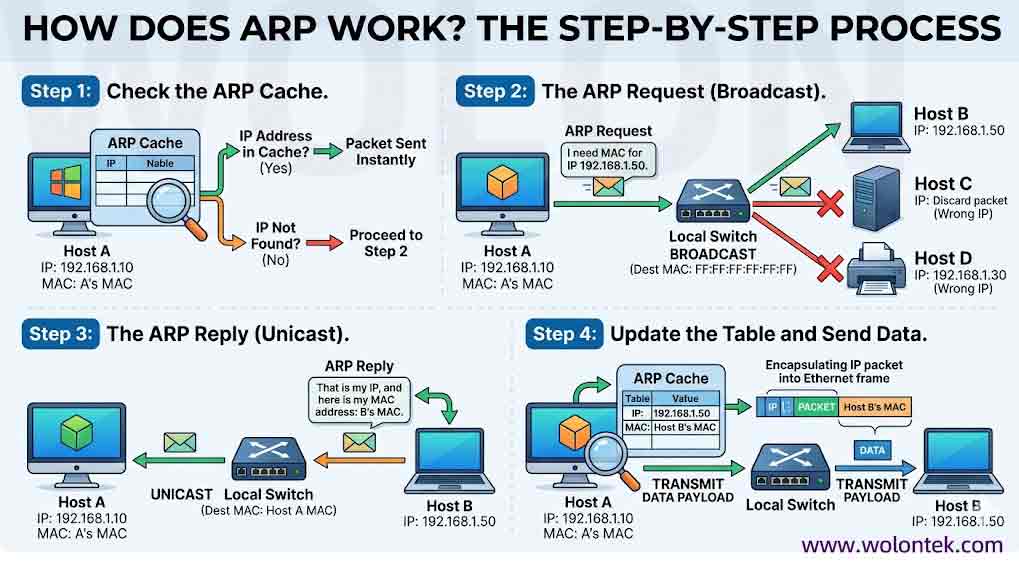
ARP operates using a very simple, fast request-and-Reply mechanism. When Host A wants to send data to Host B on the same network, here is the exact sequence of events:
Step 1: Check the ARP Cache Before asking the network, Host A checks its own internal memory, called the ARP Table (or ARP Cache). If Host A recently talked to Host B, the MAC address is already saved there. The packet is sent instantly. If the IP is not in the table, Host A moves to Step 2.
Step 2: The ARP Request (Broadcast) Host A generates an ARP Request packet. It essentially says: “I need the MAC address for IP 192.168.1.50.” Because Host A does not know who holds that IP, it sends this request as a Broadcast (Destination MAC: FF:FF:FF:FF:FF:FF). Every single device on the local switch receives this message.
Step 3: The ARP Reply (Unicast) Every device looks at the request. The devices that do not have the IP 192.168.1.50 silently discard the packet. Host B, which owns that IP, generates an ARP Reply. It says: “That is my IP, and here is my MAC address.” Host B sends this reply directly back to Host A as a Unicast message (point-to-point), preventing unnecessary network chatter.
Step 4: Update the Table and Send Data Host A receives the reply, saves Host B’s MAC address in its ARP cache for future use, encapsulates the IP packet into an Ethernet frame, and transmits the data payload.
Dynamic ARP vs. Static ARP
Network administrators can manage the ARP table in two different ways depending on the security and performance needs of the switch.

The Dark Side of ARP: ARP Spoofing (Poisoning)
Here is the major engineering flaw of ARP: It is blindly trusting. ARP was designed in the 1980s when networks were closed and trusted. By default, ARP does not verify if the device sending an ARP Reply is actually telling the truth.
This leads to a severe security vulnerability known as ARP Spoofing (or ARP Poisoning).
A malicious user on your network can spam the switch with fake ARP Replies, telling every computer: “I am the default gateway router. Send your traffic to my MAC address.” The computers blindly update their ARP tables and send all their internet traffic to the attacker. The attacker intercepts the data, creating a devastating Man-in-the-Middle (MitM) attack.
How Network Engineers Fix It
To prevent this, enterprise data centers do not rely on basic ARP. Network architects configure Dynamic ARP Inspection (DAI) on their managed switches. DAI acts as a bouncer; it inspects every ARP packet and drops any forged replies that do not match a trusted database, instantly shutting down the spoofing attack.
Building Reliable Physical Networks
While protocols like ARP handle the logical mapping at Layer 2 and Layer 3, they are utterly useless if the physical layer drops the packets. High-frequency ARP requests, broadcast traffic, and data payloads require pristine signal integrity to move across your switches without latency.
At Wolontek, we manufacture the physical foundation that makes high-speed networking possible. Operating directly from our optical manufacturing facilities, our 400+ engineering specialists produce strict-tolerance Optical Transceivers, DAC cables, and MPO fiber trunks designed for enterprise switches and zero-packet-loss environments.

Whether you are configuring static ARP for a critical server rack or deploying a massive Layer 2 LAN, ensure your physical layer is built to perform.

 Ready to Scale Your Network Infrastructure?
Bypass distributor markups and reduce lead times. Explore Wolontek’s comprehensive portfolio of Factory-Direct Optical Transceivers and Network Infrastructure Solutions.
Explore Factory-Direct Solutions
Does ARP work across different networks or routers?
No. ARP operates strictly on the local area network (LAN) segment at Layer 2. If a computer needs to send data to an IP address on a different network, it uses ARP to find the MAC address of its local Default Gateway (the router). The router then handles the cross-network routing.
What is an ARP Table (ARP Cache)?
An ARP table is a small database stored in the memory of a computer, router, or switch. It temporarily records the mapping between logical IP addresses and physical MAC addresses that the device has recently resolved, eliminating the need to broadcast an ARP request for every single data packet.
What happens if the destination IP address does not exist on the network?
If an ARP Request is broadcasted for an IP address that is turned off or doesn’t exist, no device will send an ARP Reply. After a short timeout period, the sending host will drop the packet and typically display a “Destination Host Unreachable” or “Request Timed Out” error to the user.
What is RARP (Reverse Address Resolution Protocol)?
RARP does the exact opposite of ARP. While ARP translates a known IP address into an unknown MAC address, RARP translates a known MAC address into an IP address. RARP is mostly obsolete today, having been replaced by modern protocols like DHCP.